Your AI agent. Handles support, takes actions, closes deals.
Your customers get instant, accurate answers. Your team gets their time back.
SupportHQ goes beyond answering questions. It runs multi-step workflows, books meetings, processes refunds, and hands off to your team — across Widget, WhatsApp, and Email. One platform, every channel.
Built for SaaS, e-commerce, healthcare, and service teams — from startups to 500+ employees.
- Widget + WhatsApp + Email inbox
- AI Procedures with approval gates
- Agent copilot + proactive triggers
- Calendar booking + live handoff
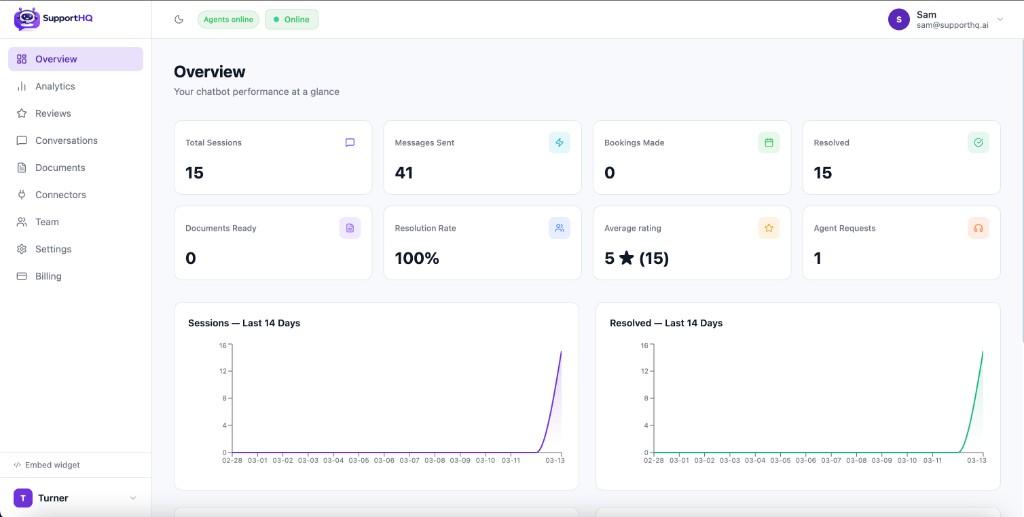
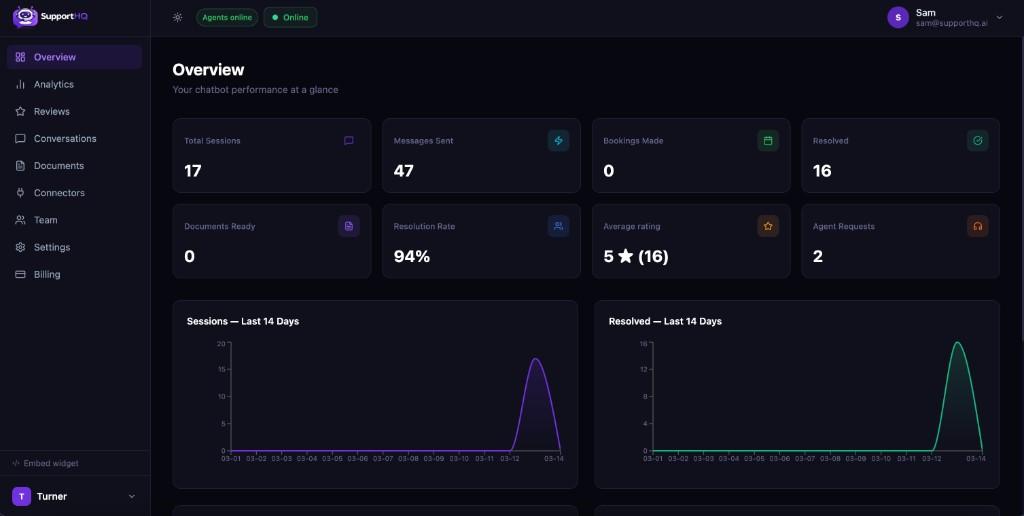
Imagine what you could do with your AI wired to your tools, answering questions 24/7
Before
Generic chatbots that aren't connected to your tools—and do more harm than good
- ×Generic bots don't use your docs or calendar
- ×Custom bots are finicky and hard to maintain
- ×Support staff takes months to train
- ×Bogged down with repetitive tickets
After
An automated resource that supercharges your support team
- ✓24/7 quality support with instant, on-brand answers
- ✓Automate most support tickets from one widget
- ✓Make your team twice as productive
- ✓Hand off to a human when it matters
Three steps to get SupportHQ wired to your business
Add your knowledge
Add your knowledge base—docs, help center, FAQs. SupportHQ learns your product so every answer stays on-brand and accurate.
Embed on your site
Drop one script tag and add the widget to as many sites as you want—marketing site, app, help center.
Learn and refine
Use real chat history and feedback to improve answers. Connect Calendly or Google Calendar for bookings.
Supercharge your AI assistant
Everything you need to turn visitors into happy customers.
AI Procedures — autonomous multi-step workflows
Define workflows the AI executes autonomously: look up data, make decisions, take actions, and escalate to humans when needed. Build with a visual drag-and-drop flow chart.
- Visual flow chart builder — drag-and-drop nodes, branching logic, and approval gates.
- 7 step types: message, collect input, condition, API call, internal action, set variable, escalate.
- 3-tier approval: Auto (instant), Notify (execute + alert), Require (pause for agent approval).
- Built-in simulation mode — test procedures before going live.
- Full audit trail of every step executed for compliance and debugging.
Multichannel inbox — Widget, Email, WhatsApp
One unified inbox for all your customer conversations. Respond to WhatsApp messages, email tickets, and website chats from the same dashboard.
- WhatsApp Business API integration — receive and reply to customer messages.
- Channel badges on every conversation so agents know the source instantly.
- Filter conversations by channel — All, Widget, Email, WhatsApp.
- 24-hour service window handling with agent warnings for WhatsApp.
- Automatic message deduplication and delivery status tracking.
AI Copilot for agents — suggest, draft, rewrite
An AI assistant that sits alongside your agents. Auto-suggests replies, drafts full responses, rewrites in different tones, and tracks customer sentiment in real time.
- Auto-suggestions appear after every customer message — click to insert.
- Draft Full Response generates a complete AI-written reply using your knowledge base.
- Tone rewrite buttons: Professional, Friendly, Empathetic, Concise.
- Real-time sentiment indicator (Positive/Neutral/Negative/Frustrated) with confidence score.
- Grounded in your documents — never hallucinate prices, policies, or product details.
Proactive chat triggers — engage visitors at the right moment
Automatically start conversations based on visitor behavior. Target by URL, time on page, scroll depth, exit intent, returning visitors, and cart value.
- Full behavioral targeting: URL pattern, time on page, scroll %, exit intent, returning visitor, cart value.
- Configurable delay and frequency limits per trigger.
- Live Visitors panel — see who is on your site, what page they are on, in real time.
- Widget auto-opens with your proactive message — no customer action needed.
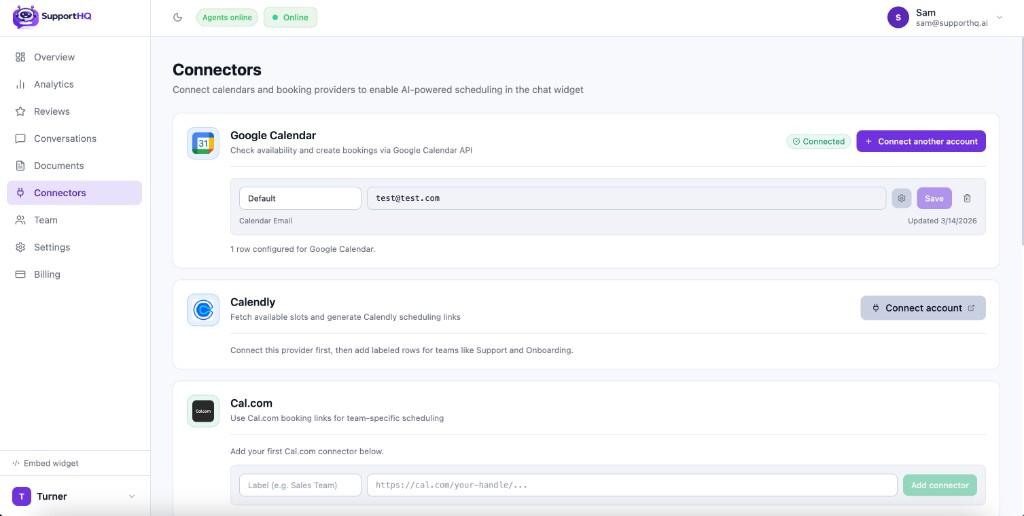
Connectors for your stack — including WhatsApp
Ready-to-use connectors for calendars, CRM, WhatsApp, and automation tools. Extend with custom AI Actions for any API.
- Built-in: Google Calendar, Calendly, Cal.com, HubSpot, Zapier, WhatsApp.
- AI Actions — define custom REST API tools the AI can call during conversations.
- Labeled connectors per team, department, or workflow.
- Custom connectors for proprietary systems and internal tools.
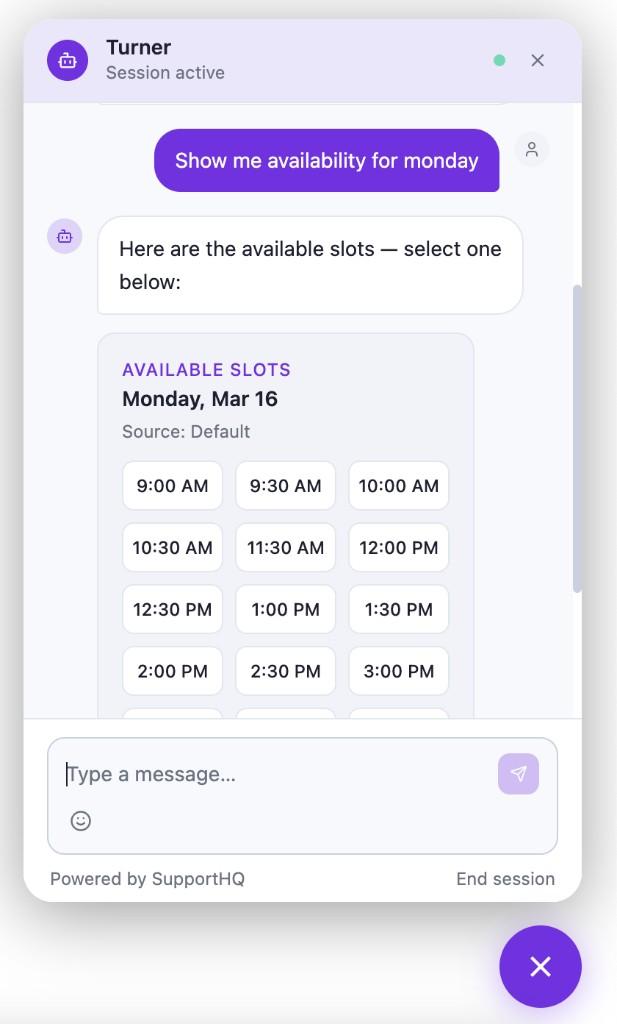
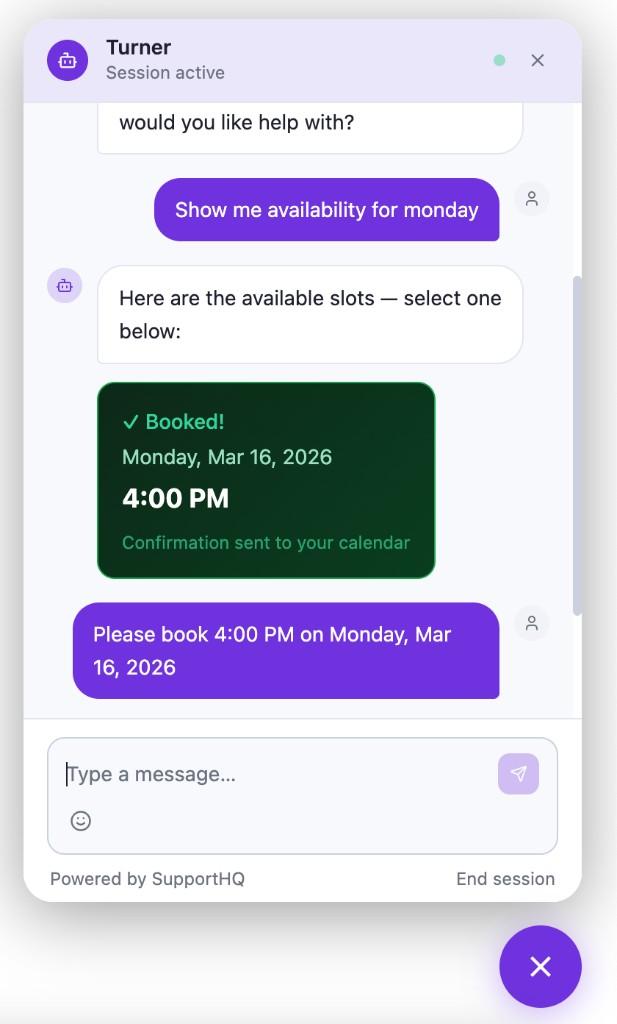
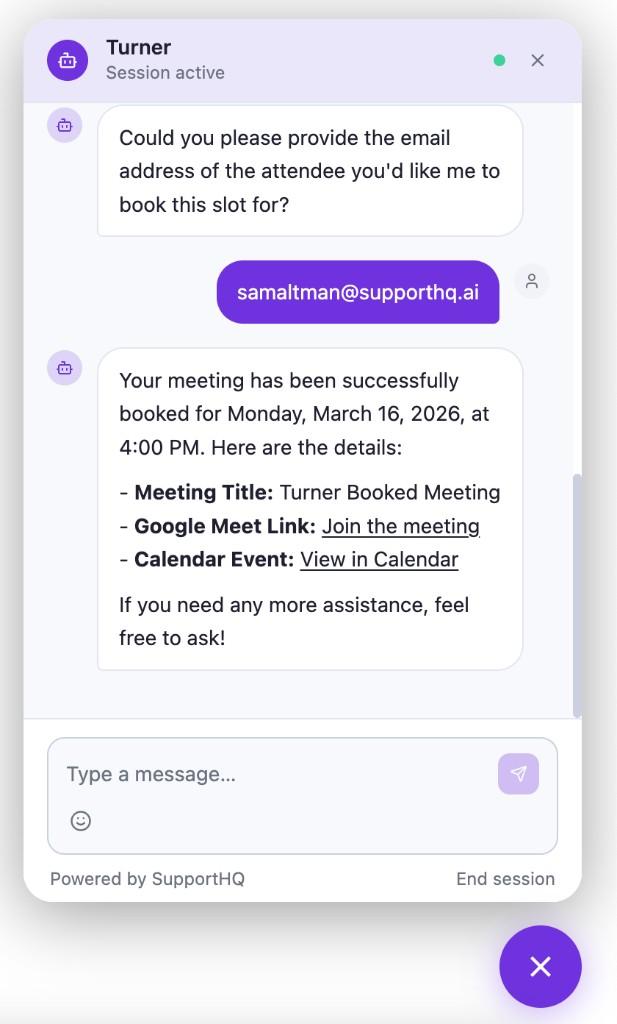
In-chat calendar booking with live availability
Show available slots directly inside the chat widget and instantly confirm bookings. Works with Google Calendar, Calendly, and Cal.com.
- Real-time slot grid rendered inside the widget — no redirects.
- Collect attendee details before finalizing the booking.
- Confirmation with meeting and calendar links.
- Multiple calendars by team, department, or agent.
Agent handoff with queue, delegate, and transfer
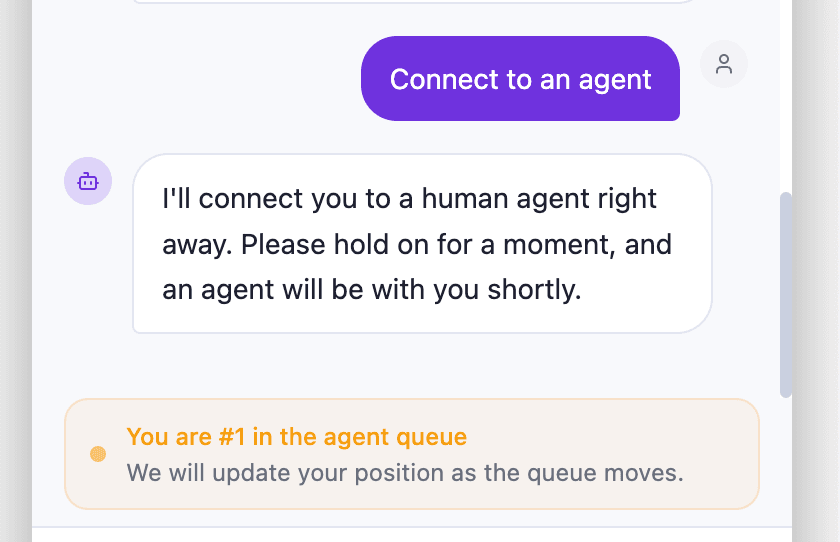
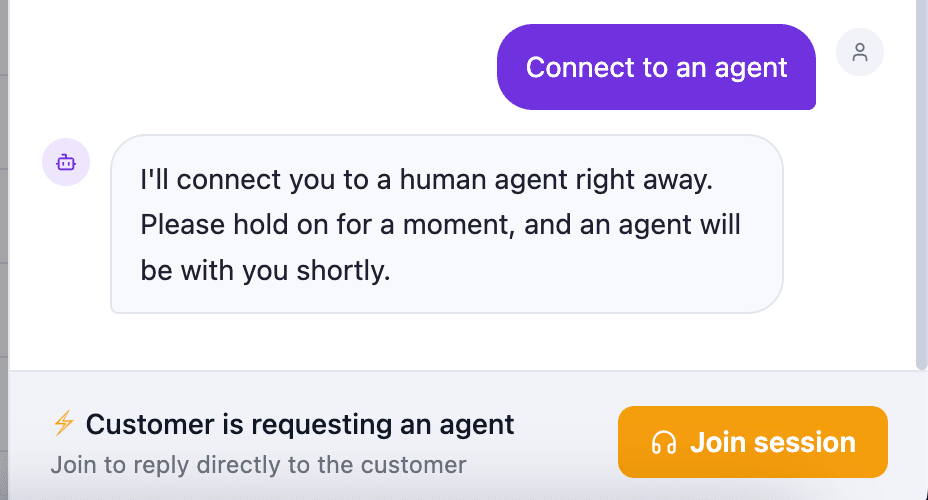
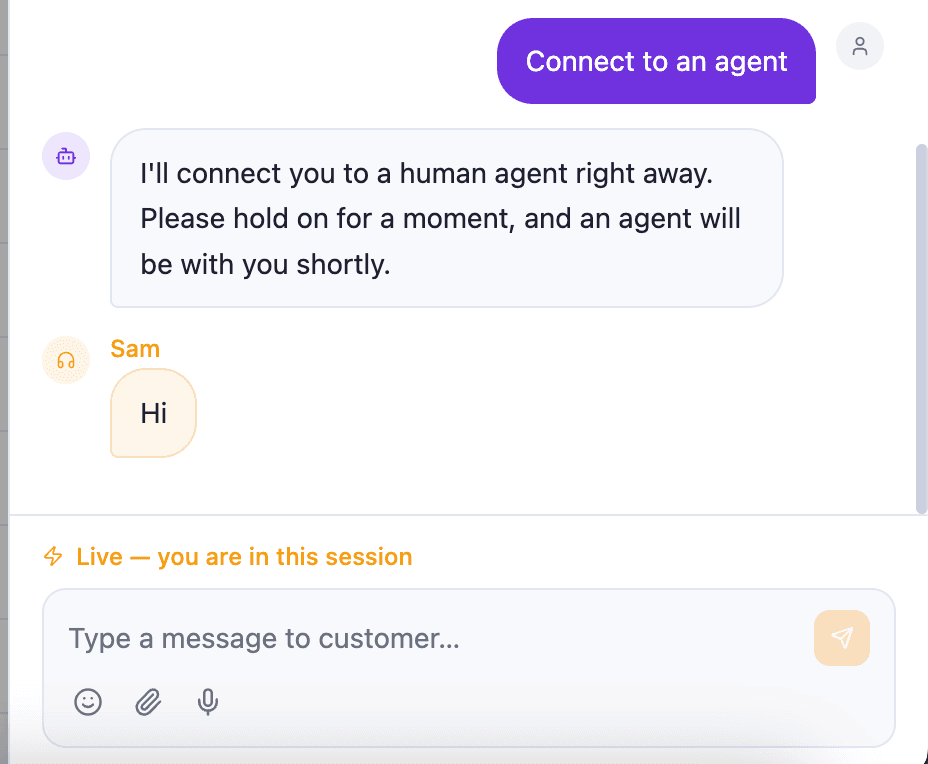
When a customer asks for a human, SupportHQ queues the request, lets an agent join instantly, and keeps ownership clear.
- Customer sees queue position while waiting.
- Delegate to bring in a teammate. Transfer to move full ownership.
- Slash commands (/refund, /greeting) for instant canned responses.
- Procedure approval cards appear inline for agent sign-off.
Tickets with email threading and Help Center
Full ticketing system with email threading, SLA tracking, and priorities. Plus a public help center with custom domain support.
- Ticket statuses: Open, In Progress, Pending, Resolved, Closed.
- Email threading with RFC 2822 Message-IDs for proper reply chains.
- SLA deadline tracking and priority levels (Low to Urgent).
- Public help center with articles, categories, and custom domain support.
Page-aware widget — authenticated user context
The widget adapts to the page context. On authenticated pages, it greets users by name, skips the pre-chat form, and gives the AI their identity.
- Add data-auth="1" to the script tag on authenticated pages.
- Widget calls your configured auth endpoint to fetch user info.
- Personalized welcome: "Hi Imran! How can I help you today?"
- Pre-chat form auto-skipped when user email is already known.
Knowledge base with gap detection
Train on docs and URLs so responses stay accurate. The system automatically detects what the AI cannot answer and tracks it for you.
- Ingest documents and web pages. Resync URLs on a schedule.
- Knowledge Gap Detection — auto-tracks unanswered questions.
- Analytics: CSAT, deflection rate, resolution time, top questions.
- RAG-powered: answers grounded in your content, never hallucinated.
Knowledge + Analytics
CSAT
94%
Deflection
68%
Knowledge Gaps Detected
12 unanswered questions this week
Reviews, ratings, and sentiment tracking
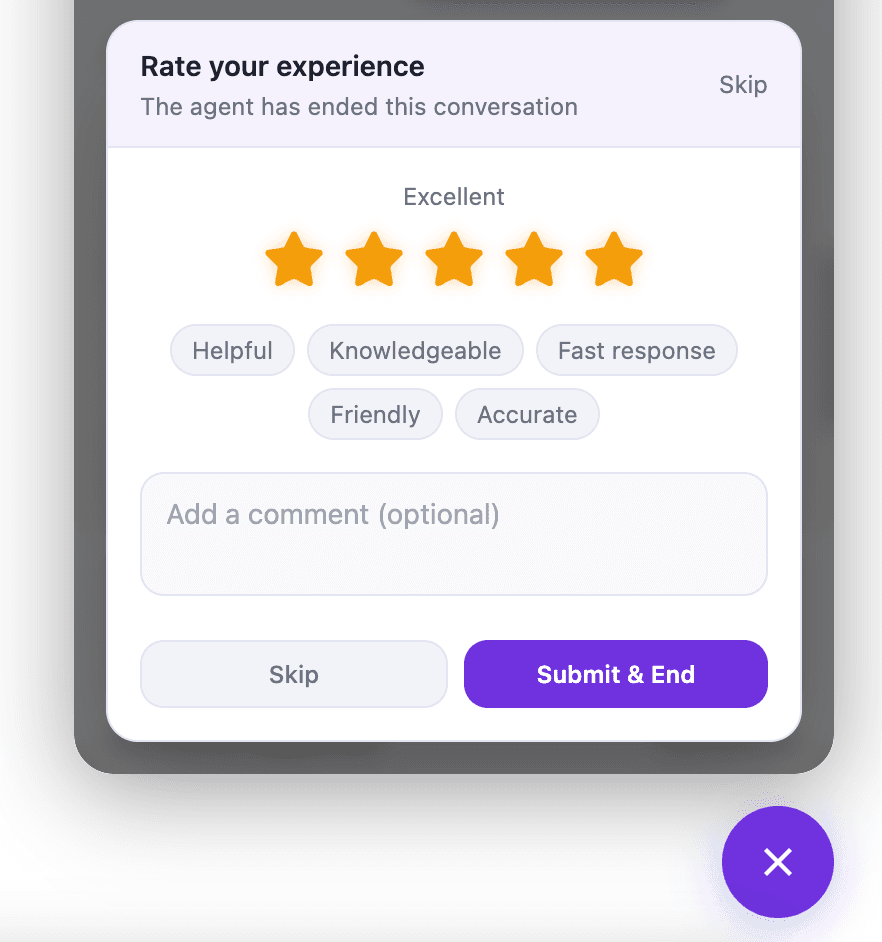
Post-conversation ratings, dedicated reviews dashboard, and AI-powered customer sentiment analysis.
- Star ratings with feedback tags and optional comments.
- AI sentiment indicator tracks customer mood across conversations.
- Dedicated Reviews dashboard for quality insights.
- Use review data to improve AI replies and handoff flows.
Team roles, permissions, and collaboration
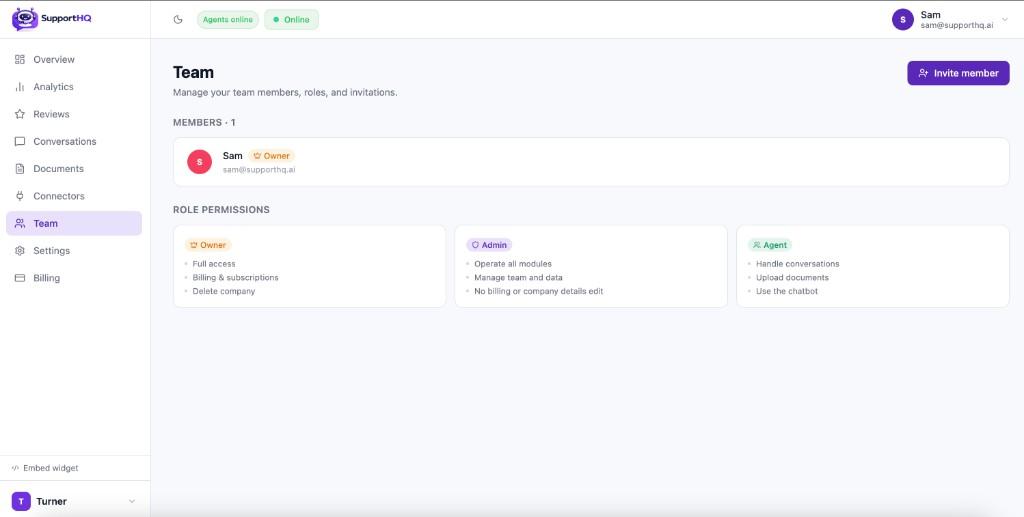
Clear Owner, Admin, and Agent roles. Invite teammates, manage permissions, and collaborate on conversations.
- Owner/Admin control billing, settings, and team management.
- Agents focus on conversations, documents, and chatbot operations.
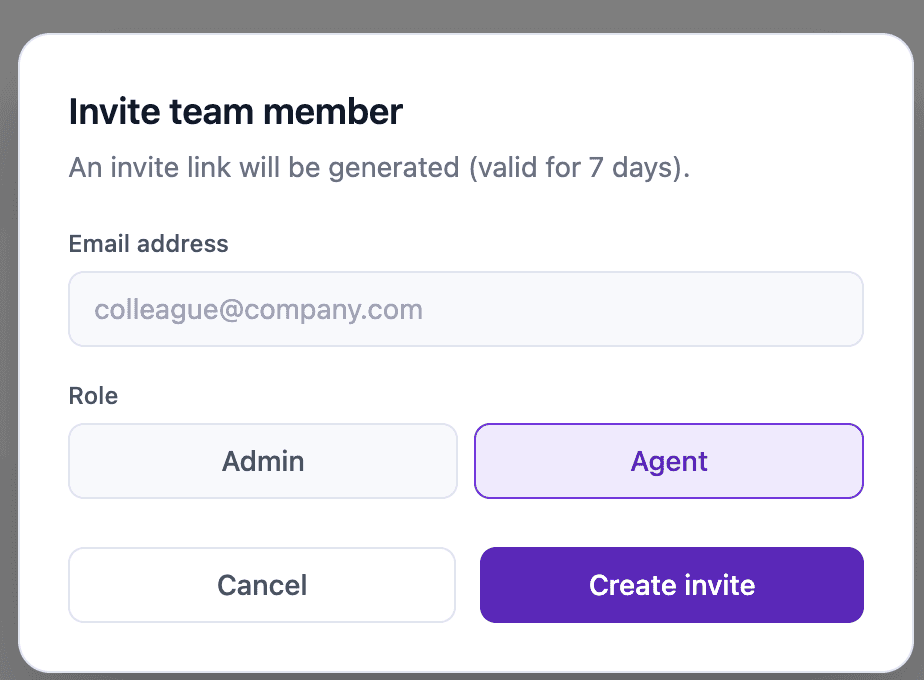
- Invite teammates by email with role selection.
- Live Visitors panel and real-time session updates via SSE.
Direct integrations with your favorite tools
Connect calendars and knowledge bases so SupportHQ can book meetings and answer from your content.
Simple, transparent pricing
All plans require a card to start a 7-day trial. You won't be charged immediately and can cancel anytime.
Starter
- 3,000 messages / month
- 5,000 pages of document content
- All core features unlocked
- All integrations and connectors
- Priority support
Pro
- 10,000 messages / month
- 50,000 pages of document content
- All core features unlocked
- All integrations and connectors
- Priority support
Scale
- 50,000 messages / month
- Unlimited pages
- All core features unlocked
- All integrations and connectors
- Priority support
Enterprise
Custom AI models, dedicated infrastructure, SLA guarantees, SSO, advanced analytics, and hands-on onboarding. Built for teams that need full control and priority support.
Don't just take our word for it
“SupportHQ handles repetitive support questions and only escalates high-intent chats. Our team now spends time on customers who actually need a human.”
“We launched in a single day. Calendar booking, handoff, and conversation visibility are all in one place, which made adoption easy for our team.”
FAQs
Can't find the answer? Reach out to support.
- AI Procedures are multi-step workflows your AI executes autonomously during conversations. You build them visually with a drag-and-drop flow chart. Add steps like collect order ID, look up order via API, check if within return window, process refund. The AI follows the procedure step-by-step, and you can set approval gates so agents must approve sensitive actions like refunds.
- SupportHQ supports three channels from one unified inbox: Website Widget (embed on any site), WhatsApp Business (connect your WhatsApp number), and Email (with full ticket threading). All conversations appear in the same dashboard regardless of channel.
- The copilot suggests replies after every customer message, can draft full responses using your knowledge base, rewrite text in different tones (professional, friendly, empathetic, concise), and shows real-time customer sentiment. It never hallucinate facts - all suggestions are grounded in your documents.
- Yes. Add data-auth="1" to the script tag on authenticated pages. The widget calls your configured auth endpoint to fetch the user name and email, then personalizes the welcome message and skips the pre-chat form automatically.
- Triggers automatically start conversations based on visitor behavior - like showing a message when someone spends 30 seconds on your pricing page, or when they show exit intent. You can target by URL pattern, time on page, scroll depth, returning visitors, and more.
- Yes. Connect Google Calendar, Calendly, or Cal.com. SupportHQ shows real-time availability as a slot grid inside the widget and confirms bookings instantly.
- One script tag. Copy it from your dashboard and paste into your site. The widget appears in the bottom-right corner. You can embed on as many sites as you want.
- Usually a few minutes. Upload docs, connect a calendar, copy the embed code, and you are live. AI Procedures and triggers can be added later as you scale.
Ready to try SupportHQ?
See if SupportHQ is right for your stack. Live in just a few hours.
- Personalized onboarding
- Friendly pricing
- Cancel anytime